Sunday, November 18, 2012

3 Best Free Ways to download YouTube videos to Windows 8 Phone

Today lots of people prefer to enjoy videos from YouTube on their smartphones or tablets, which most of them use the Android or iOS operating system. But I believe something will change in the future as Microsoft release its Windows phone 8 systems. Nowadays, Windows Phone 8 smartphones like Nokia Lumia 920, 820, HTC 8X and 8S are now gradually available all around the world.We should admit Microsoft’s Windows Phone 8 is actually doing reasonably well during its first few days on the market.

To some new windows phone 8 users, there may be a little difficult for you to watch YouTube videos or download the videos on your windows phone 8 devices. So here I have discovered 3 free ways for you to download the YouTube videos on your windows phone.

1. Getting help from computer program could make things more easier 

If you use Firefox or Chrome browser, I recommend Easy Youtube Video Downloader for you, which providing the easiest method to download YouTube videos in FLV, MP3, 3GP, MP4, 720p and 1080p FULL-HD video qualities..

If you do not use Firefox, it’s OK. You can use this free YouTube downloader. With this free YouTube Downloader, you can download YouTube video as different video and audio format for various Android devices or iPhone or iPad, so does the Windows phone.

Advice: Check out what video formats your windows 8 phone support. As I know, most of smartphone support video formats of 3GP/MP4/WMV, so if you want to enjoy HD video, like MKV video, firstly you should download a video player to help you.

2. YouTube Download Websites

If you don’t want to download a program, just want to download the videos online, then you can just go to:

http:/www.keepvid.com
http://www.savevid.com
http://www.zamzar.com/

3. Use the windows phone app to help you


I have collected three apps in Windows Phone store for you.

Top1: YouTube Downloader

YouTube Downloader, developed by AnKo Softwares, allows you to view and download any YouTube video over 3G, 4G or WiFi in HD quality, which is now available in the Windows Phone store.


Metrotube
Top2: Metrotube

Metrotube, beautifully designed, is the be-all, end-all for your mobile YouTube experience for many Windows Phone users. With a slick design and excellent performance there’s little wonder.


Top3: YouTube by Microsoft Corporation

Published by Microsoft Corporation, with this app, you can
play YouTube videos by tapping video links in your email and MMS messages, websites, and apps like Facebook. Tap the YouTube app icon to open YouTube in the browser, where you can sign in and browse millions of videos, including favorites and playlists. This app integrates with the Music & Videos hub so you can get to your most-recently played videos and launch YouTube from the hub.

Just pick one method you like most to download your favorite youtube video to enjoy on your windows 8 phone.

Thursday, November 15, 2012

Top 5 free Movie Apps for Android Tablets in 2012

Smartphones and tablets runs on Android now are full of world, for extremely light and portable. If you are a movie lover and recently you have purchased a tablet, I suppose you will be pleased to find that there are plentiful apps available to suit your cinematic needs. But how to find the favorite movie app that suit for you is a problem. Don’t worry. Luckily, I have gathered five of the best movie apps for you, just pick one you love most. If you want true Blu-Ray movies or 1080 HD video quality on your pc, pick the 5 Best Blu-ray Player Software for PC. 

Top 1: Movies by Flixster (Average rating  4.7)
If you want to learn about what movies are playing, the app is right for you, which allows you to look up movie reviews, trailers, and showtimes. You can also use this app to Look up showtimes at your favorite theater and buy tickets (from participating theaters) and even Get critic reviews from Rotten Tomatoes, Create your own "Want to See" list, rate & review movies.

Top 2: IMDb Movies & TV (Average rating 4.4)
IMDb Movies & TV
IMDb, short for Internet Movie Database, always offers the leading app for Android tablets, have the world's largest movie, TV and celebrity information. With this app, you can find showtimes, watch trailers, browse photo galleries, get US TV listings, find latest DVD and Blu-ray releases, explore popular charts, share movie information, and more. And it is totally free.

Top 3: Netflix ( Average rating 4.1)
Netflix
Netflix is the world’s leading subscription service for watching TV episodes and movies. Once you are a member of their subscription service, this app gives you access to an unlimited amount of films and TV programmes to stream on your tablet,Only $7.99 a month. This app allows you to start watching on one device, and resume watching on another, That is to say you might start watching a film on a tablet on work and can finish it on their laptop once you get home. Now One-month free trial is provided, you can have a try.

Top 4: Fandango Movies ( Average rating 4.5 )
Fandango Movies
Want to find movie & theater listings, watch trailers, view fan ratings & buy tix fast, the app is the best for you! Fandango, the nation’s leading movie ticketing service and one of the Web’s top moviegoer sites is available as a free app for your Android! This app makes the moviegoing experience better than ever!

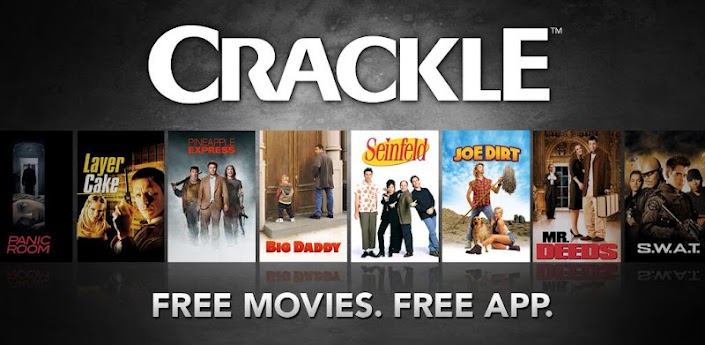
Top 5: Crackle (Average rating 3.6)
Crackle - Movies & TV
This app is unlike Hulu Plus, you don’t need to sign up and pay a fee to watch. You can watch  a wide array of free Hollywood films and TV programmes on your tablet. Stream HQ video via 3G, 4G or Wi-Fi are supported .

So here is our top five movie apps for Android tablets.

See also: Top 6 Video Player Apps for Android Mobile Device in 2012

Tuesday, November 13, 2012

1080p HTC Droid DNA announced, time to watch 1080p videos on smartphone smoothly

Version and HTC have finally taken the wraps off the HTC Droid DNA, a new high-end smartphone from HTC that will sports a 1080p display, higher than any smartphone on the market, aims to do battle with the iPhone 5 , Galaxy S III, Nexus 4, and other super phones. Verizon Wireless said on Tuesday that it plans to sell HTC Corp's latest smartphone, the Droid DNA, as its flagship phone for the holiday season while Verizon also sells Samsung and Apple phones at the same time, according to Reuters.


HTC Droid DNA features a 5-inch Super LCD3 display with a resolution of 1920x1080 (or 1080p), giving it an incredible 440 pixels per inch — far better than any of the other smartphones on the market and even better than Nokia Lumia 920’s 4.5-inch PureMotion HD+ display, which have a 1280x768 pixel resolution. Naturally it's covered in Gorilla Glass as well, You don't have to worry about that big screen getting scratched or cracked.

Other Specs: 

Processor and Memory:  Quad-core 1.5-gigahertz processor, 2GB of RAM; 16GB, Not feature a microSD card slot for external storage

Camera:  Rear cameras: 8 megapixels with a fast F/2.0 lens and modern backside-illuminated sensor ,2.1MP front-facing camera

Connectivity: Verizon's 4G LTE network, the DNA will support Bluetooth 4.0, Wi-Fi a, b, g, n and n 5 GHz, as well as DLNA, NFC and MHL.

Software:  Runs Android 4.1 with HTC's Sense 4+ extensions, Beats Audio

Then Let's review the companies which have actual already announced 1080p phones. The HTC J Butterfly respectively for Japan and the lesser known Oppo Find 5 respectively for china are both 5-inch smartphone with 1080p screens. Then there’s Sharp’s Aquos SH930W with the same screen, which will be out in Russia very soon. HTC Droid DNA is the first smartphone to boast a 1080p screen to be launched in the USA. It is obviously that the war of 1080p smartphones is heat up.

However, for those who love watch videos on protable device, the fact is that we put 1080p videos to smartphone only to find it plays in slow motion and with much noise. Now let’s come back to the HTC Droid DNA, for its large screen and higher screen pixel density, it means that HTC Droid DNA would be better for you to watch 1080P HD Movies than any other smartphone. That is to say, you can enjoy 1080p videos on the phone while most of high-end smartphones on the market now support for 720p video playback.

So if you are a YouTube lover, now all of you can download HD Movies from the website, like The Hunger Games or James Bond Skyfall Official Trailer to play in smoothly motion on the smartphone. It is simple to do that, all you need is a HD Free Powerful YouTube Downloader or download and save YouTube videos directly from http://keepvid.com/. Or if you like to watch YouTube videos online, you can download the official YouTube app from Google’s App Store.


The HTC Droid DNA will be available exclusively from Verizon Wireless, who is taking pre-orders starting today, and customers will be able to pick up the new Droid DNA on November 21 for $199 with a two-year contract.

Monday, November 12, 2012

Simple Ways to improve your Windows Phone 8 Battery Life

Obviously, most of people nowadays own either an android or an iOS smartphone in their pockets. Today, Windows Phone 8, the latest and greatest mobile operating system from Microsoft joins in the war. Now several different Windows Phone 8 models like Nokia Lumia 920 and 820, HTC Windows phone 8X gradually go on sale in store.
For most of us, we use the phone to watch videos, play funny games, and chat with friends, definitely powerful and useful for us. But all of them fail in giving a long battery life, which let us feel down.

So here I collected some information on how to extend the battery life of your Windows Phone 8 as a result now there are so many information about how to improve your iPhone or android device battery life in life.

What should you do when Power Down
When your battery is running low, Windows Phone 8 has a special trick to help prevent total power loss. Just go to Settings and turn on the Battery Saver option. Doing so tells the OS not to run any apps in the background or sync email automatically. You’ll still be able to make and receive calls and texts, but everything else will require manual syncing (opening up the app and choosing to sync). You can choose for Battery Saver mode to kick in only when your battery is actually low, or keep it on at all times. A little heart over the battery icon tells you when the phone is in Battery Saver mode.

Close Wi-Fi,Bluetooth and GPS/Location: All of them will drain your battery very quickly, soTurn them off if you're not using the phone.

Dim screen brightness:  The brighter your screen, the faster you’ll eat up battery life. So dim your screen if you want make your battery last longer.

Turn off push email:  If you have an email account on your device, think about whether you need emails pushed to it, or if you could change the settings to look for emails when you open the account.

Windows Mobile - Settings in emails account > Synchronisation settings > Download new content

Set your phone in Airplane mode:  If you don't want to completely shut off your phone, switch to airplane mode to shut off all of the radios, and switch back out of airplane mode only when you need to make a call or send a text message.

Close unnecessary apps:  A lot of applications continue to run in the background or get their own push notifications. Close these applications to ensure that your phone isn't still pinging the network without your knowledge.

Charge backups:  Carry a fully charged spare battery and also buy a portable phone charger around 10,000mah and it will charge your phone in no time.

Use Battery Level for WP8 Apps to help you

Developed by Alex Golesh, it is such a simple app which provides "missing feature" of Windows Phone 8 - the battery level percentage on the main screen and the lock screen. You can just pin the app to see Live Tile with battery status and remaining charge percentage on Windows Phone 8 main screen and lock screen.
The app is completely free.
Once there have more battery Saver Apps update in Windows phone 8 app store,I will offer to you in time.

Other Tips

You should turn off the screen display immediately when finished with tasks, just hit the power button quickly to turn off the display for battery saving.

Thursday, November 8, 2012

Shopping Tips for Smartphone, Tablets on Black Friday 2012

You may just want a new iPhone, iPad, or maybe the best-selling Samsung galaxy S3 and other android device, or Windows Phone 8 smartphones entering this year, but the price is somehow relative higher than you can afford. Don’t worry, as the holiday shopping season is almost around the corner. Due to a series of stores kick off some of its hottest "Black Friday" deals on that day, so it is the best time of the year for shopping. There are substantial discounts offered.


Until today, the Black Friday deals ads of Amazon, Best Buy and Wal-Mart have leaked online in the days. And For the first time, Disney Stores, Sears and Kohl's are among the stores offering at least some of the same Black Friday deals to customers a few days before Black Friday.

It seems difficult to catch up all of that information to get a best Black Friday Deals. A smart and measured approach to buying will preserve your holiday budget.
Here's how to do Black Friday the smart way:

1. Research the deals and compare the prices 

Thanksgiving is just two weeks away, now you should start mapping out a strategy now. Make sure which smartphone or tablets you want and how much you want to spend. Check out decide.com to help you, which uses data to help you whether you should buy the product or not.

Lists of websites already have posted stores' Black Friday deals. Check out sites like bradsdeals.com and the blackfriday.com that list hours and circulars for the holiday weekend.

2. Use social media: like Facebook and Twitter

Follow your favorite stores' Twitter feeds and click the "Like" button on their Facebook pages. Stores will use their social networks to update shoppers on deals and store hours, says Carey Rossi, editor-in-chief of ConsumerSearch.com. Wal-Mart Stores Inc., for example, unveiled its Black Friday deals on Walmart.com, its Facebook wall and mobile app on Thursday. Those who sign up to get email, download the app or "Like" its Facebook page will be among the first to get early access to special Black Friday store items to buy online and via the mobile app.

Meanwhile, Kohl's Facebook fans will receive exclusive savings during the holidays through Friday flash sales.


3. Spread out the shopping: 

Consumers will Start Holiday Shopping Earlier this year.

Wal-Mart will start its first Black Friday sale at 8 p.m. Thanksgiving Day, two hours earlier than last year. It then will have two more rounds of sales events, including a 10 p.m. sale on electronics and another sale at 5 a.m.

Wal-Mart is also guaranteeing shoppers that it will have three of the most popular items if they are in line inside the store between 10 p.m. and 11 p.m. on Thanksgiving Day. The three include Apple’s iPad 2: an Apple iPad 2 for with Wi-Fi plus a $75 Wal-Mart gift card for $399.

Macy's, Kohl's Co. and Best Buy Co. will open again at midnight following Thanksgiving. Sears Holdings Corp. said its Sears stores will open at 8 p.m. on Thanksgiving and will stay open overnight until 10 p.m. Friday. For the first time, Sears will allow members of its free loyalty club called Shop Your Way to buy some of the early-bird specials online as early as Sunday, Nov. 18.

4. Use your smartphone and tablets 

For the first time, Macy's, through a partnership with eBay, has a Black Friday app that will let customers browse and shop for specials specific to the local store. Starting Nov. 15, customers will be able to view Black Friday specials on their mobile devices and create personal shopping lists they can edit and share.
Starting Nov. 19, Wal-Mart will again have a Black Friday local store map available to view and print on Walmart.com and its local Wal-Mart Facebook pages. But this year, customers can view an interactive local store map on the Wal-Mart mobile app and click on items to see the price, product description and location in the store.

Here is Walmart Black Friday full ad leaked: Galaxy S3, unreleased Samsung Stratosphere 2 and other Android handsets spotted:

Android Smartphones

$100 Walmart Gift Card for every Android smartphone purchase (with new two-year contract, therefore it’s available with the purchase of any of the following on-contract handsets) – offer valid from from November 23 through December 1
$129 Samsung Galaxy S3 – with new two-year contract
TBD Motorola Droid RAZR M – with new Verizon two-year contract
$49.88 HTC One X – with AT&T new two-year contract
$79.88 Samsung Galaxy S2 – with new T-Mobile two-year contract
$49.88 Samsung Stratosphere 2 – with new Verizon two-year contract
$0.97 Samsung Captivate Glide – with AT&T new two-year contract
$89.88 Motorola Photon Q – with new T-Mobile two-year contract
$39.88 LG Optimus Logic prepaid smartphone – $50 in savings
$39.88 Kyocera Hydro prepaid smartphone – $60 in savings
$45 unlimited Straight Talk plan
$55 unlimited Boost Mobile plan
$80 Verizon prepaid refill card: 2GB traffic, unlimited talk and text
$19.98 Virgin Mobile prepaid refill card: 1GB of traffic

Android Tablets

$129 8GB Nabi 2 – $70 in savings
$99 8GB Barnes & Noble Nook Color Tablet – $60 in savings
$49 7-inch Ematic Tablet

Accessories

$12 Plantronics Bluetooth Headset
$39 Plantronics Voyager Pro Bluetooth Headset – $40 in savings
$14.96 cell phone charger
$39.88 Virgin Mobile 3G/4G Hotspot – $80 in savings
$19.88 iFrogz Boost speaker – $20 in savings
$14.99 Sony Earbuds with Mic – $14 in savings
$179.95 Beats by Dr. Dre Solo HD Headphones – $20 in savings
$10-30 off all Beats headphones

Will you be purchasing a new smartphone or cellphone for the upcoming holiday season? Do you have any other good shopping tips for Smartphone and tablets? Leave your comments.

Tuesday, November 6, 2012

Best 5 Christmas Live Wallpaper Apps for the Android in 2012

Wow…there are only 47 days left before Christmas 2012 arrives, not far away from us. With the upcoming Christmas, Intensely festive atmosphere get closer and closer to us. And Android activations have seen a boost soar on Christmas Eve, according the news from Mashable. Ok, here I will introduce a series of Christmas live wallpaper apps for your Android phone to help you enjoy more during the holiday season, in addition to popular customs like exchanging gifts, decorating Christmas trees, attending church, sharing meals with family and friends and, of course, waiting for Santa Claus to arrive.

Top 5: Christmas Live Wallpaper Free

With this App, you can enjoy watching live effects of gently falling snowflakes or play the sound of holiday music. Decorate and light up the Christmas Tree, make up the fire in the house, scroll the winter scene or tilt your phone to see amazing accelerometer effects are all allowed.

Top 4: Snowfall Free Live Wallpaper
Snowfall Free Live Wallpaper
Snowfall is a beautiful live wallpaper featuring gentle snowflakes falling overtop swaying pine trees. Not a movie, with full support for landscape mode and home screen switching!

Top 3: Christmas Tree Live Wallpaper
Christmas Tree Live Wallpaper
Christmas Tree Live Wallpaper is the most downloaded holidays Live Wallpaper on the Google Market, and is the only fully customizable Android Free Live Wallpaper, that does not require you to buy a paid version to enable settings.

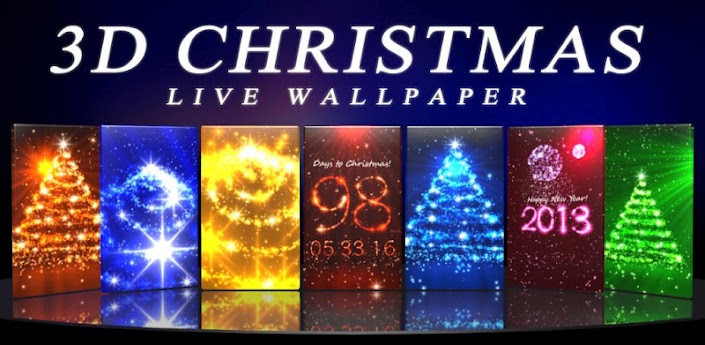
Top 2:  3D Christmas Live Wallpaper
3D Christmas Live Wallpaper Fr
This App Features a sparkling Christmas Tree of Light, plus an exciting Countdown to Christmas and the New Year. Both scenes in the free version can be enjoyed as a live wallpaper background, or as a fully interactive foreground app where you can look around freely, and quickly customize your settings.

Top 1: Christmas HD
This app can celebrate the wonders of Christmas - in true 3-D! Customize every part of the scene, including your own photograph on the fireplace, your text on the stockings and the message for Santa. Choose the color of lights; customize the ornaments, gifts and ribbons, snowflakes, garland, tree topper, and more!
This wallpaper is true 3-D with hand-crafted artwork. Feature silky-smooth animations while conserving your battery life.

A small tip for beginners:

Download and Install the live wallpapers from the download links given below each wallpaper.
To set a live wallpaper — Go to Home –> Menu –> Wallpaper –> Live wallpapers

Sunday, November 4, 2012

Top 6 Video Player Apps for Android Mobile Device in 2012

With the Android OS growing sharply in the market, more and more people intend to watch videos on the smartphones in a simple way, but not all Android mobile are created equal when it comes to video playback, some support Divx/Xvid/MKV video files out of the box, while others don't.

To help those who have a problem to choose the Best Video Player for android device, here I have a collected a list of top mobile video player apps for android, so you can just enjoy the time of watching your videos at anytime, anywhere.

Top 6: VLC for Android Beta
VLC media player is a free and open source cross-platform multimedia player that plays most multimedia files as well as discs, devices, and network streaming protocols.

VLC developed the Android version for the users to in order to become one of the most comprehensive and sophisticated multimedia player. It is released in the VideoLAN on July 2nd and can be downloaded from Google Play. Now this is a BETA version of the port of VLC media player to the Android™ platform. It is intended for power users and hackers. This version is not perfectly stable and is slower than the final version, but the developers announced that it will be compatible with more smartphones and tablets in the near future.

Top 5: mVideoPlayer
With a lot of useful and handy features and a nice and clean interface it greatly improves on Android's built-in video player, mVideoPlayer may be is the best video player replacement application available for Android right now. The app features support for subtitles, Imdb.com search, and responsive, intuitive user controls. Also there are a lot of options for you to tweak to make the app fit your needs perfectly.

Top 4: QQPlayer
Mobile QQ player for android is a video player application that supports all the popular formats of videos on the market, including AVI, FLV, MP4, 3GP, MKV, MOV and etc. In addition, QQ Player also supports SRT, SMI plug-in subtitle and MKV embedded subtitle, as well as multiple audio tracks switching. Its smart core technology auto detects video formats and makes it much easier for you to enjoy smoother, better quality videos with limited resources and smaller screen.

Top 3: MoboPlayer
Mobo Video Player is the video player supports all the most popular video formats without any conversion. With this app, you can enjoy smoother, better quality videos due to its smart core technology and better user experience and user interface are provided. With the unique "Hide Video" feature, you can hide the videos from the video file list and keep your videos private.

Top 2: RealPlayer
RealPlayer is an all-in-one multimedia app that not only works for videos but also for music and photos. The popular media player for music, video and photos provides features allowing you to customize your music listening experience. Supported in 9 languages, popular features include an intuitive user interface, widgets, equalizer, lastFM scrobbling, metadata editing, optimized graphics for high-res devices and more, so you can listen to music your way.


Top 1:  MX Video Player
MX Video Player is another great alternative to the stock video player for Android. In fact, it’s probably the most advanced video player available right now, which support for almost every video file format known to date along with multiple subtitle files such as mkv subtitle track, .srt, .sub, .ass, .mpl, .psb etc. . This app is said to be the first Android video player app that performs multi-core decoding. It shows up to 70% performance improvement than single-core devices, according to the test results on dual-core devices. MX Player is an example of high-quality app development.

Just pick one from them and enjoy any video formats with your Android mobile phone.
Related Posts Plugin for WordPress, Blogger...